
Audit
Audit is a tool that lets you view the actions performed in the system, such as login, creation, update and deletion of elements. It shows who performed the action, which element was changed, the date and the data of that change.
To access it, click "Audit" in the left tab of OZmap.
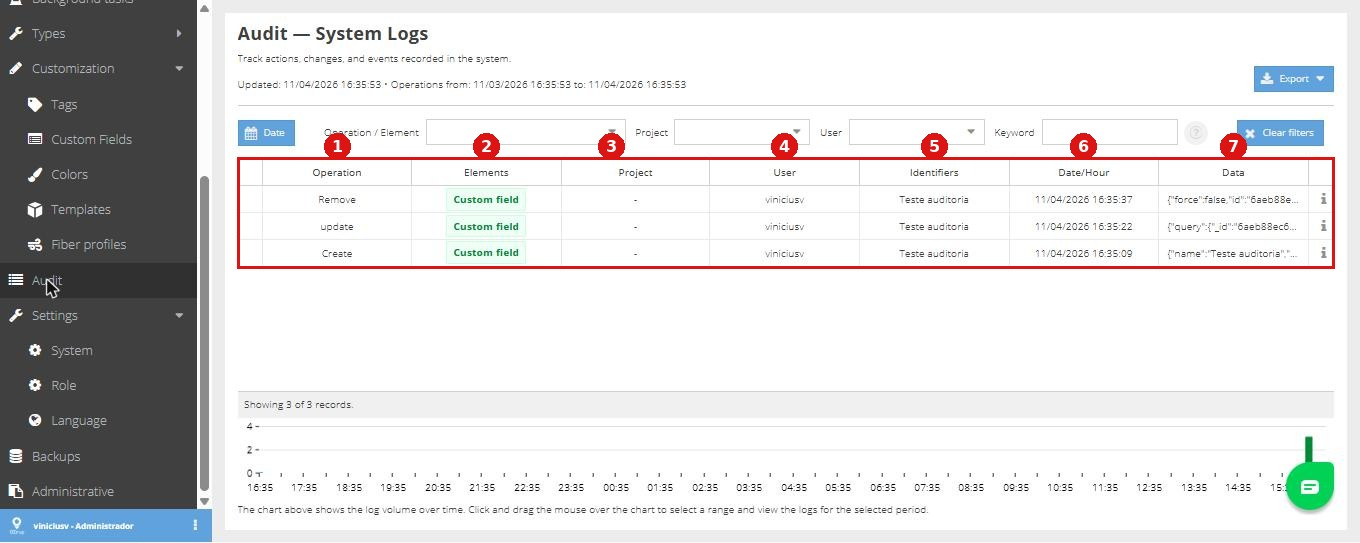
Below are the audit columns. Using the numbering in the image above, see what each one does.
Operation: lists the actions performed, such as login, creation, update and removal of elements. Clicking the expand button opens the operation filters and sorting options.
Elements: shows the type of the affected element, such as Cable, Box or Building, and other element types.
Project: shows the project where the action was performed.
User: lists the users who performed the actions. You can also filter by a specific user or change the sorting.
Identifiers: shows the changed element, such as the name of a box.
Date/Hour: shows when the change was made. The column can be sorted in ascending or descending order and filtered.
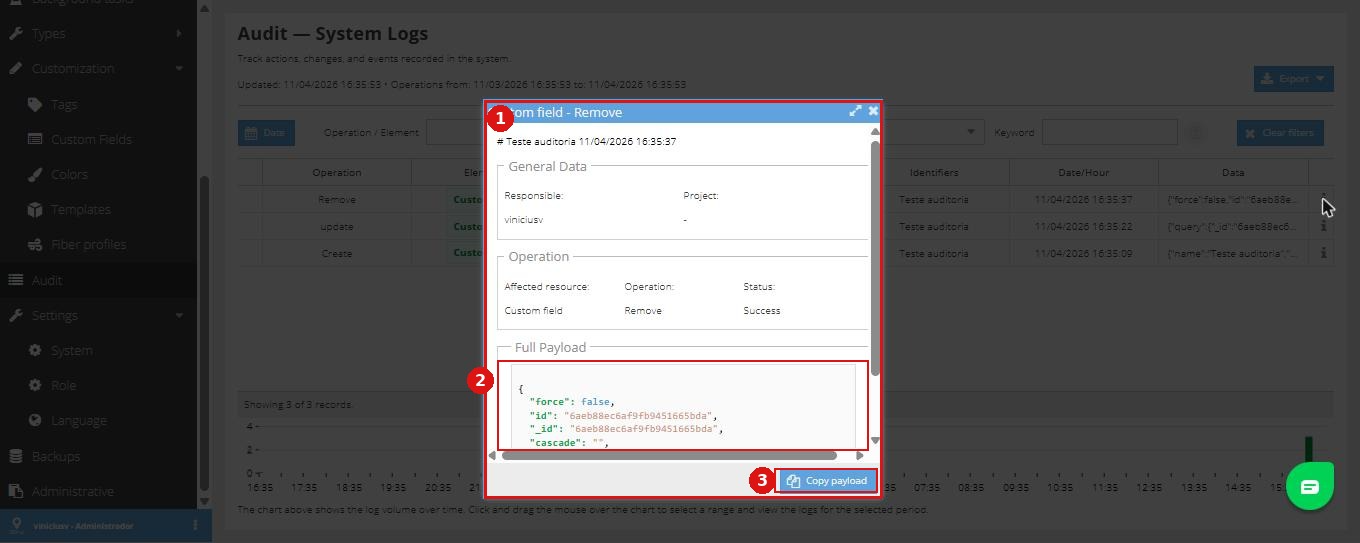
Data: clicking the "i" icon opens the operation details, with the responsible user, project, affected resource, operation type, success status and the full payload. The payload can be copied with the "Copy payload" button.
Filters
Besides the columns, the audit has a filter bar at the top of the screen:
Date: sets the query period. You can also select a range by dragging over the volume chart at the bottom of the screen.
Operation / Element: filters by action or element type, with multiple selection.
Project: limits the query to one or more projects.
User: limits the query to one or more users.
Keyword: searches for text in the Identifiers and Data columns. The Data column shows any value changed in the action, including custom fields, such as a document number.
Clear filters: removes all applied filters.
Cascade actions
Some actions trigger others automatically. In these cases, the main row has an arrow to expand the related records.
Export
The "Export" button, in the top right corner, downloads the filtered records.