
The Connections Table shows, for each port or fiber, what is connected to it and where the signal passes.
The table is available for box, condominium and POP. The pass-through box does not have a table.
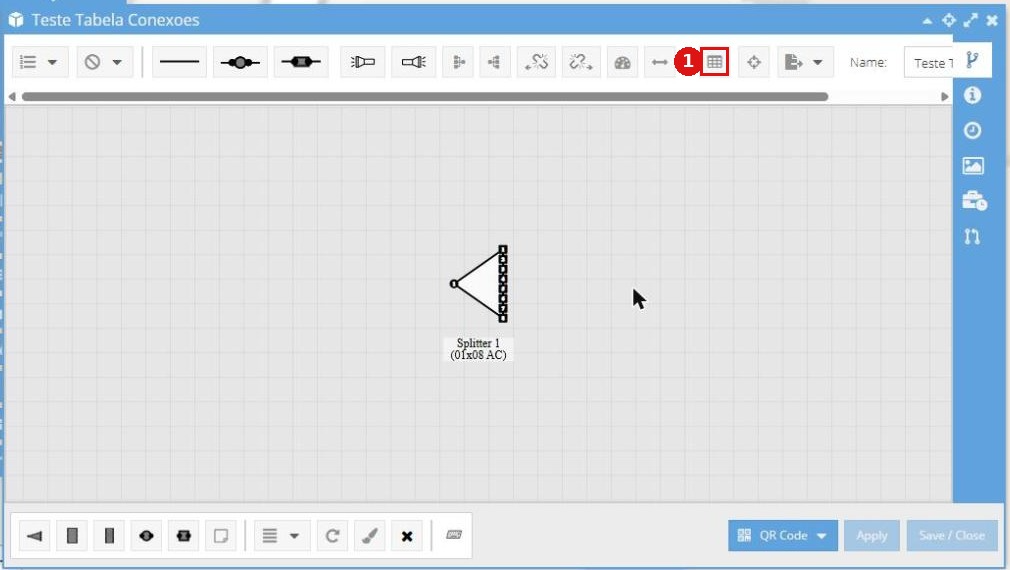
Figure 1: box diagram with the Connections table button on the top bar.
How the table works
The table only displays information. Connecting and disconnecting is still done in the diagram. If something is wrong in the table, the error is in the diagram.
The table updates automatically when the diagram is saved.
It is organized in panels by category (Cables, Splitters, DIOs, Fusions, etc.) and, within each category, there is one panel per piece of equipment.
Direct: the connection does not go through a fusion or a connector. Free: the port has no connection.
Permissions
No new permission is needed. Anyone who can see the box, condominium or POP can see the table.
Why some fibers do not appear
Fibers that only pass through the box, the pass-throughs, do not become rows. A cable with both ends in the same box appears twice.
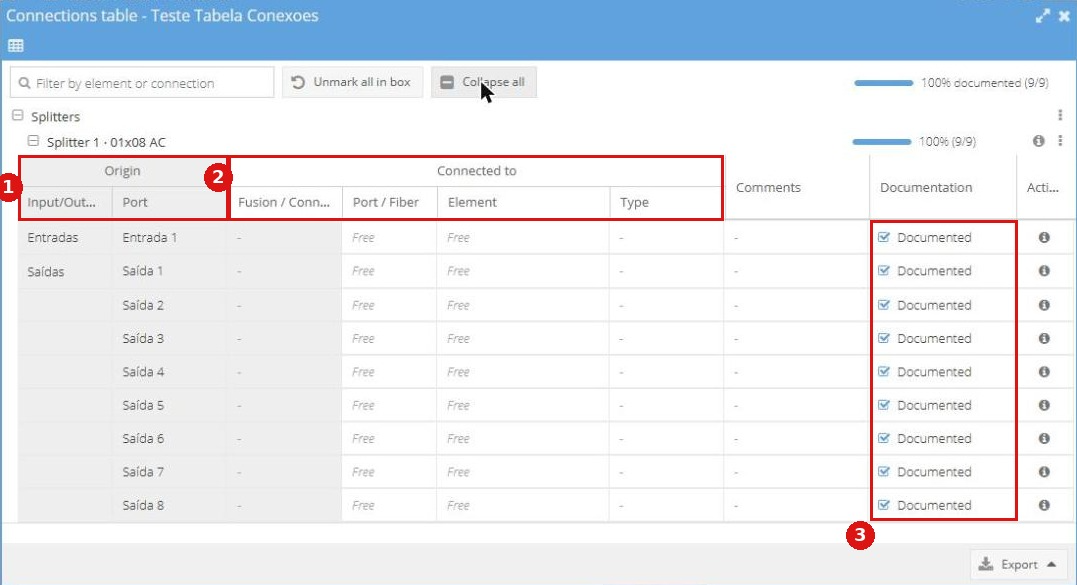
Figure 2: Connections table with equipment panels and the Documentation column.
Export
CSV and XLSX only include what is on screen, with the search applied. PDF always includes the whole table and is text only, with no image of the box.
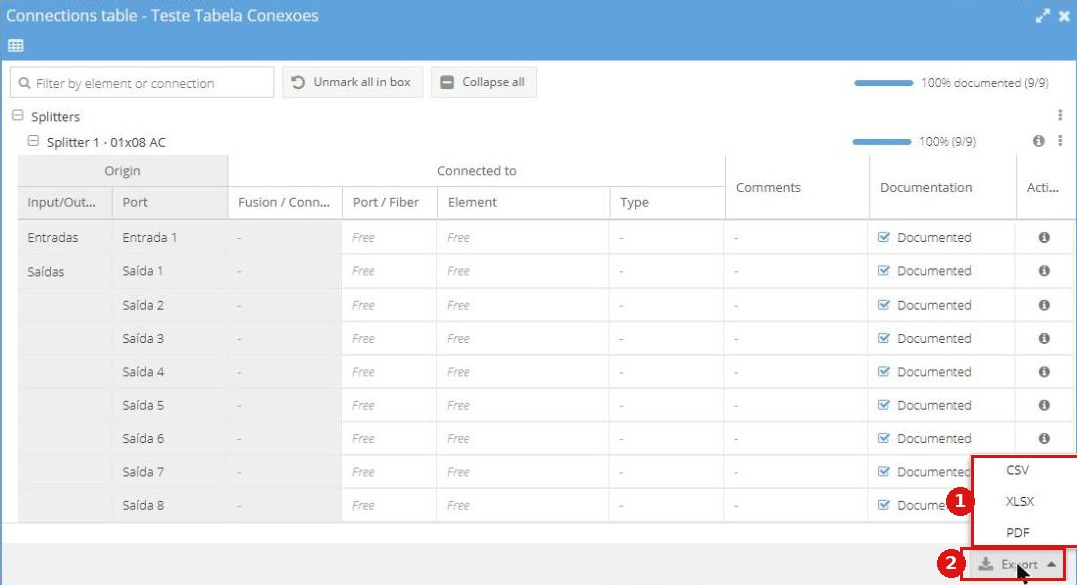
Figure 3: export options.
Network Documentation
If you have the Network Documentation module, the table shows the Documentation column, the Mark box as documented button and the documented percentage. Without the module, these parts do not appear. This feature is available by contract. To learn more, just talk to your CS.