
To create a new project, go to the side menu and click on “Projects”. At the bottom of the page, you will find the “Create Project” option.
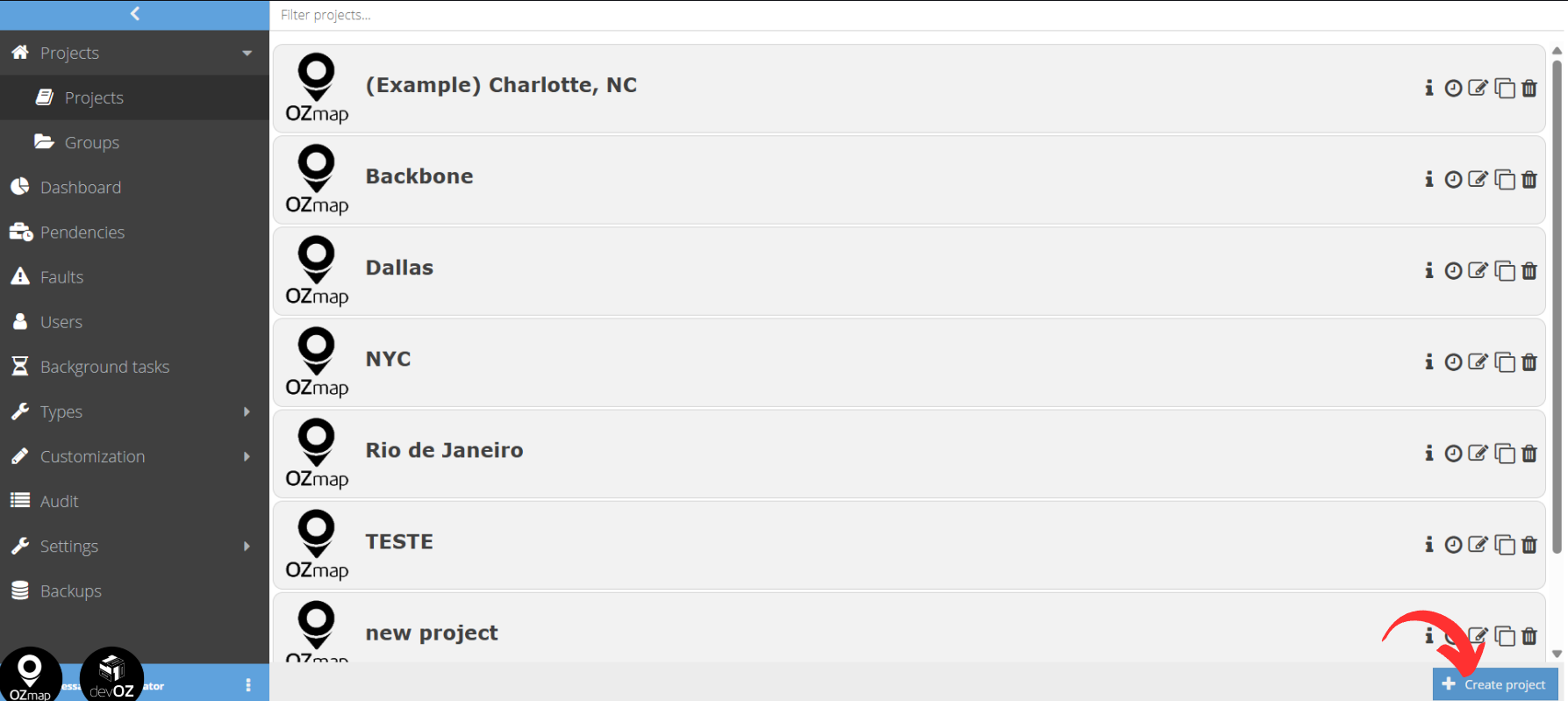
There you will provide the following information:
- Project name;
- Users, which are the users who will have access to this new project;
- If this project has a parent project, select which project it will be linked to. If not, leave the field blank;
- If you wish, you can also add a logo to represent this project.
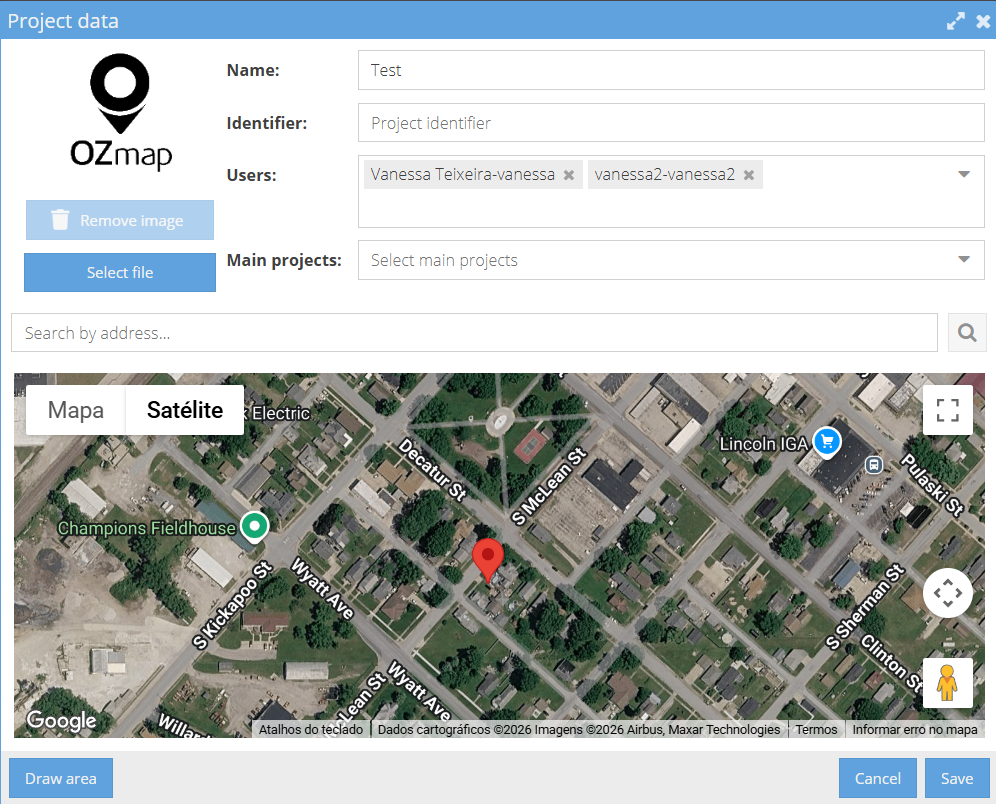
Finally, you must enter an address to which OZmap will redirect the map every time you open the system, serving as a “starting point” for developing your project. Once you have searched for the address, click on the map where the center of your project will be located.
For more information, see: Creating a Project.