
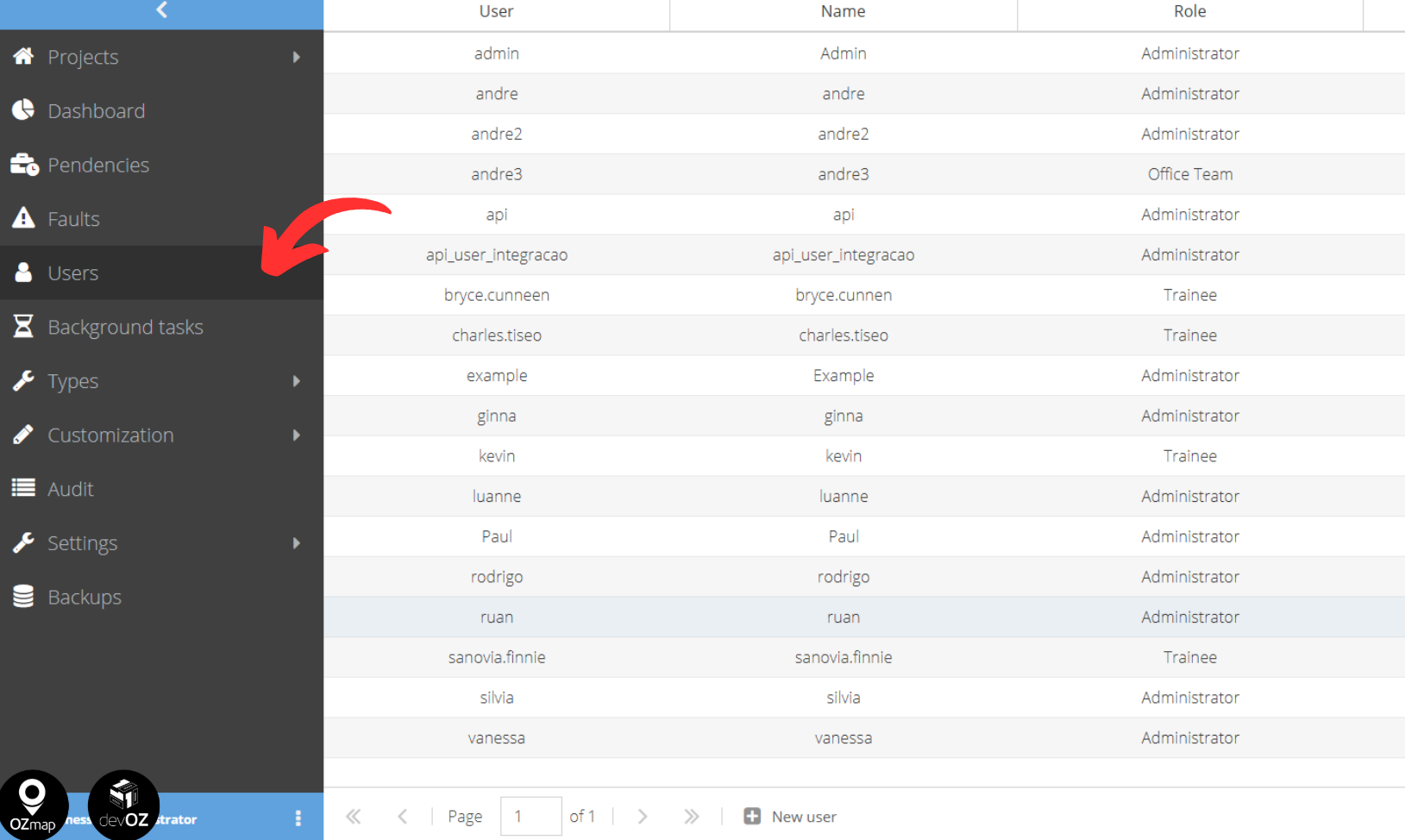
To create new users, go to the left-hand side menu and click on “Users”.
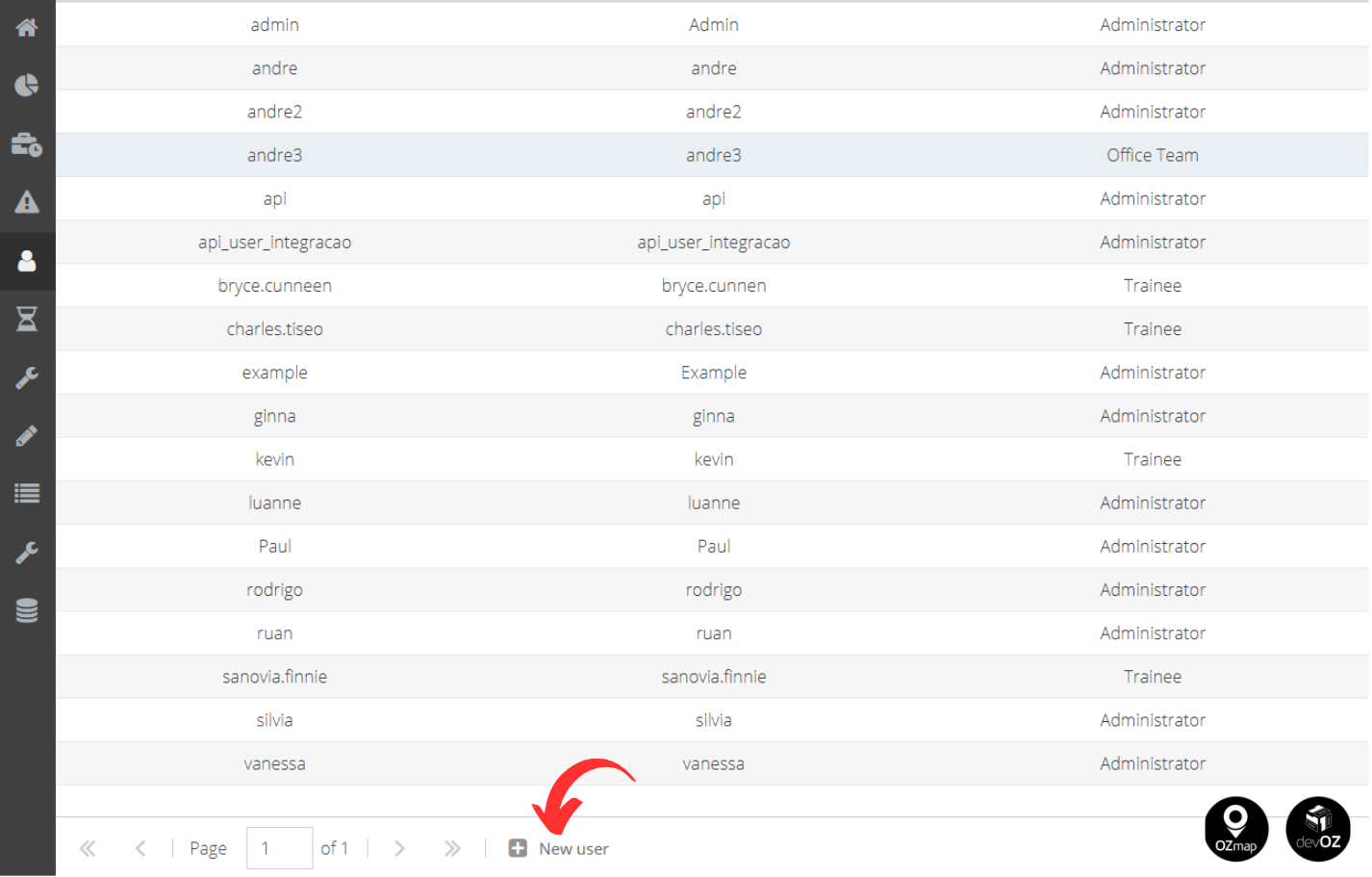
Then, click on the “New User” option at the bottom of the screen.
A new window will then open, where you will fill in the information for the new user, such as the user type, which projects in your database the user will have access to, and which modules (OZmap, OZmob, etc.).
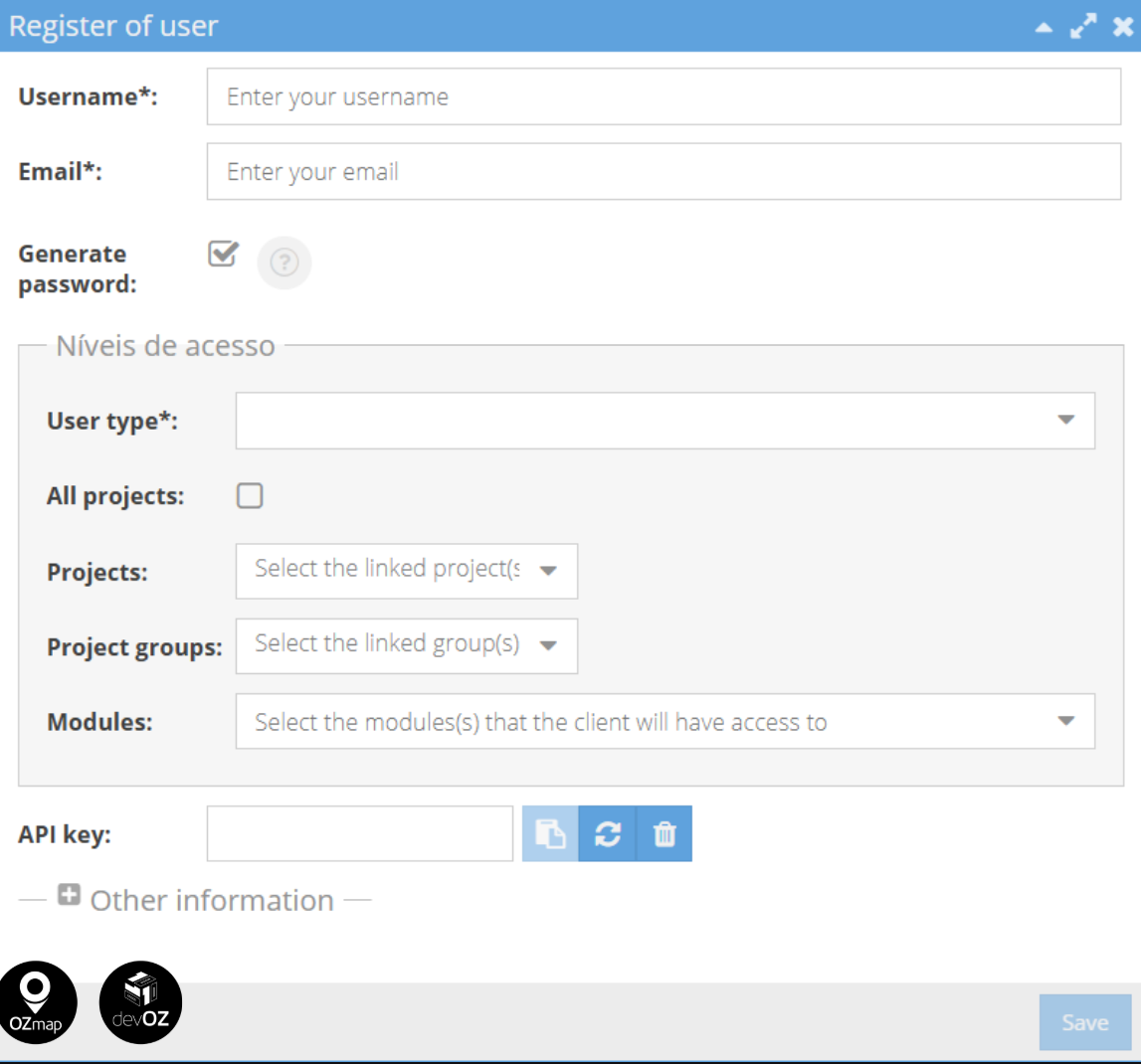
Fields marked with “*” are required to complete the creation. Once all of them are filled in, click “Save”.
To learn more about users and their characteristics, see: Users.