
Although most clients are already familiar with this, we reinforce the idea of how these networks are built as a guide for making the necessary configurations so that the network starts up correctly.
Every network starts at a POP and ends at the customer.
From this point on, the network is configured by levels, considering each network layer. See the example below:
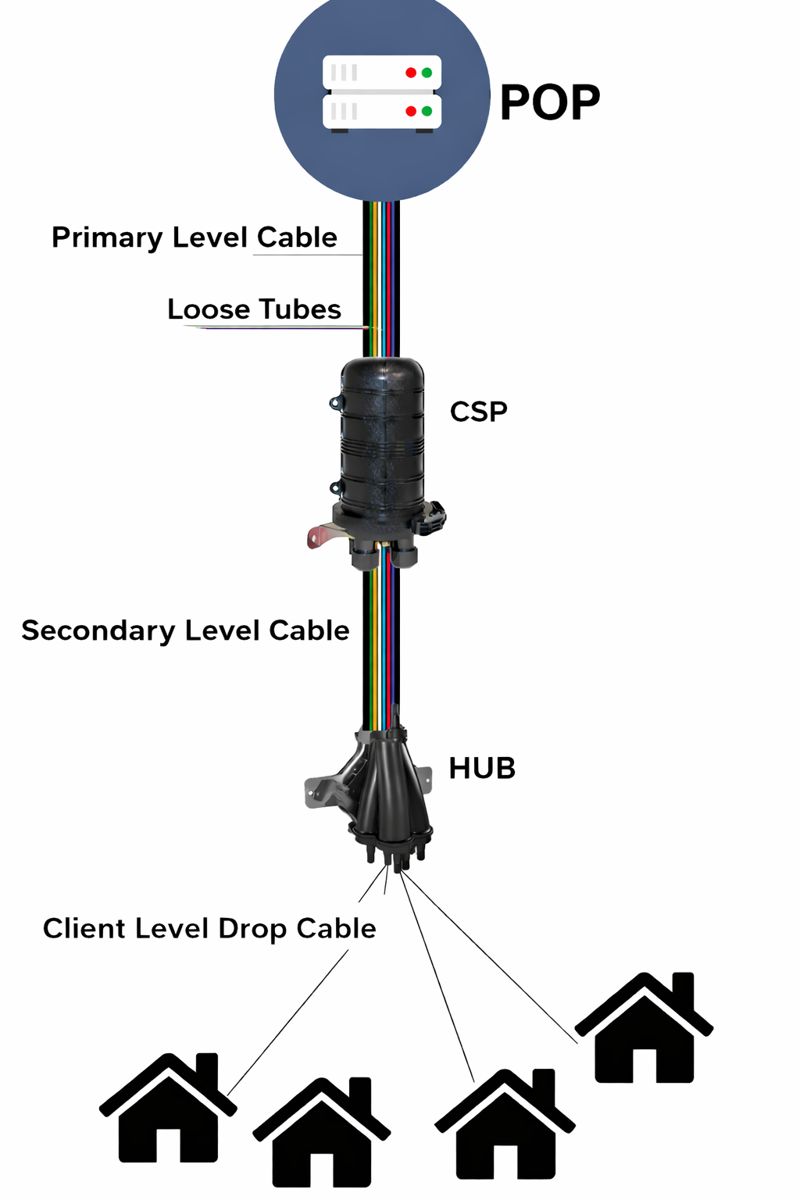
As you can see, it is very important for everything to be well organized. And to ensure you have a great experience with OZmap, it’s important to have these concepts clearly defined.
Get to know each of the elements that make up the network.
POP
This is where the signal that reaches the clients originates. For it to function properly, many pieces of equipment are required, and these will also be created within the OZmap POP.
The first one is the Shelf. It has multiple layers to accommodate the equipment.
The second is the OLT. This is where the connection signals to the customer originate. Each OLT is defined by the number of slots it has and the number of PON ports.
It is from these ports that the signal is transmitted, and it is usually connected to another piece of equipment that forms the third level of the POP. This is typically an FPP, but it can also be a switch or another type of equipment.
Finally, the cable connects all of this to the network.
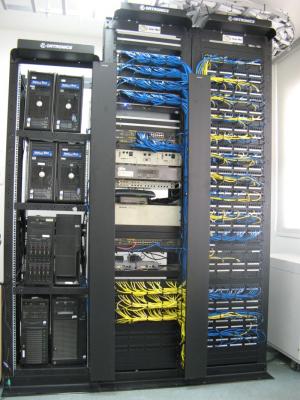
Below is an image showing how the OLTs and FPPs are arranged in the POP shelfs.
Cable
They are classified by the number of loose tubes and the total number of fibers they contain. For example, a cable with 6 loose tubes, where each tube has 2 fibers, has a total of 12 FO (optical fibers). In OZmap, this cable would be named “Cable 6L12F”. However, you can customize the names of your cables.
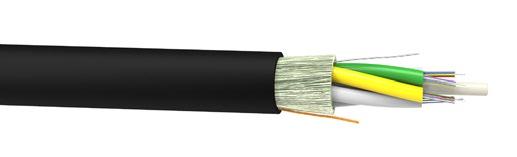
Loose tubes are smaller cables inside the main cable, and each one contains optical fibers.
In the image below, the black cable is the main cable, the colored ones are the loose tubes, and the strands coming out of them are the optical fibers.
CSP
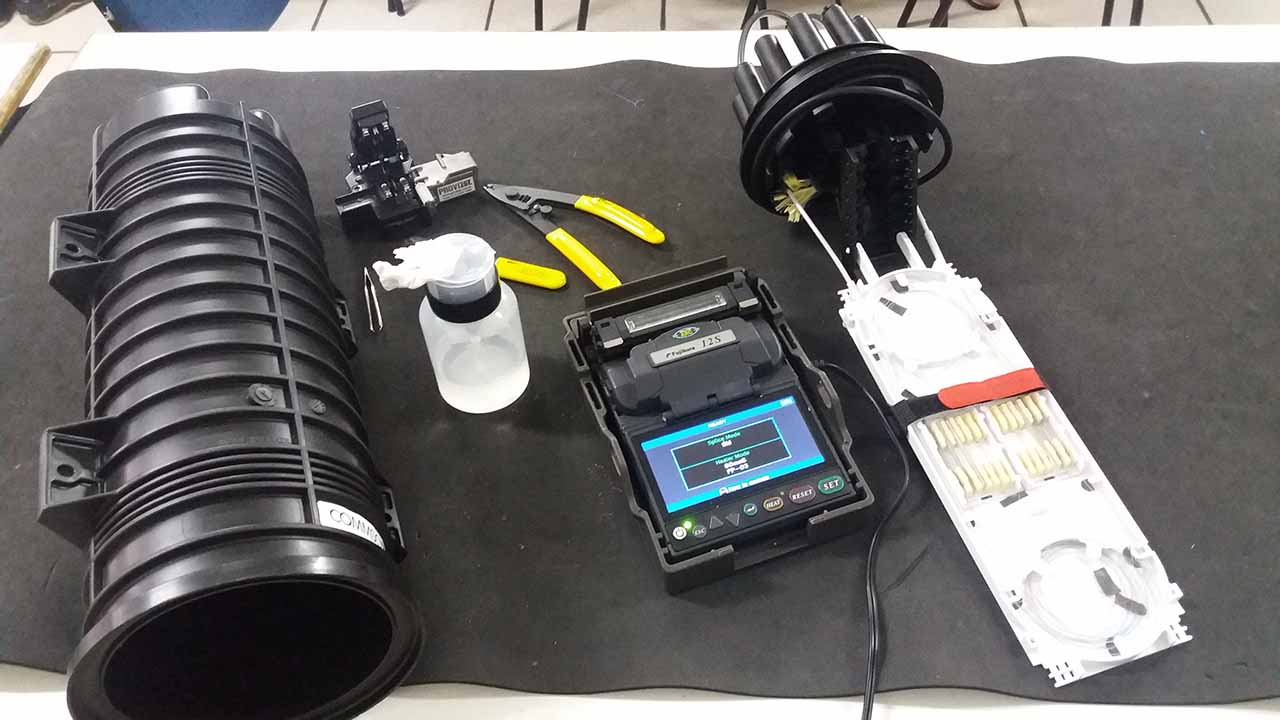
This is usually the first level of enclosure within the network. It is used to protect optical cable splices (against water, dirt, and insects), interconnecting other cables within the same network and carrying the signal to the HUBs.
Below is an image of an open CSP.
HUB
It is used to distribute the incoming signal and is commonly used to create drop connections for clients.
However, some network designs use HUBs as Distribution Boxes, where the equipment feeds other HUBs that serve the clients, creating an additional level within the project. In other words, this box can function as either a second or third level element, and both can coexist within the same project.
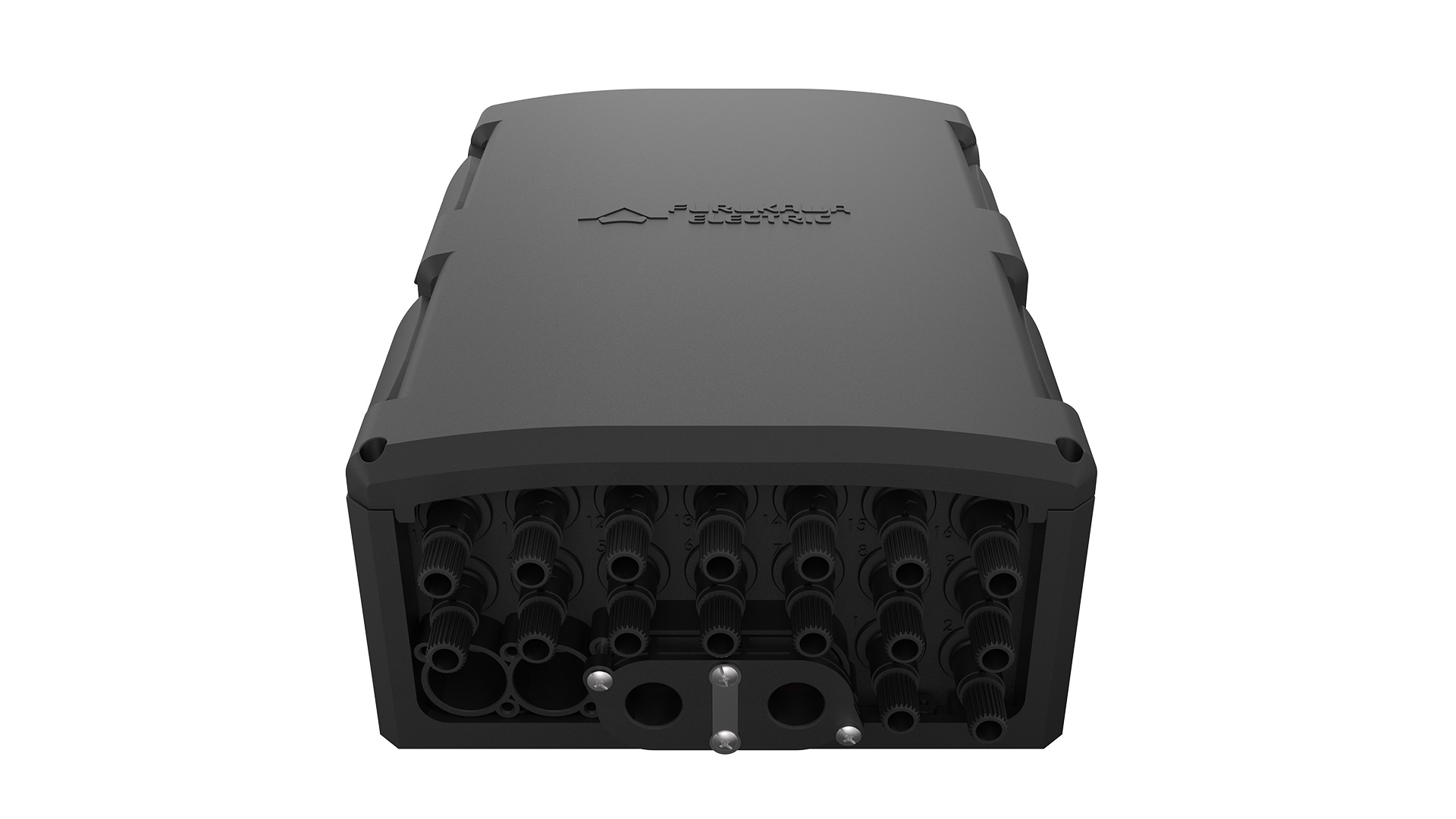
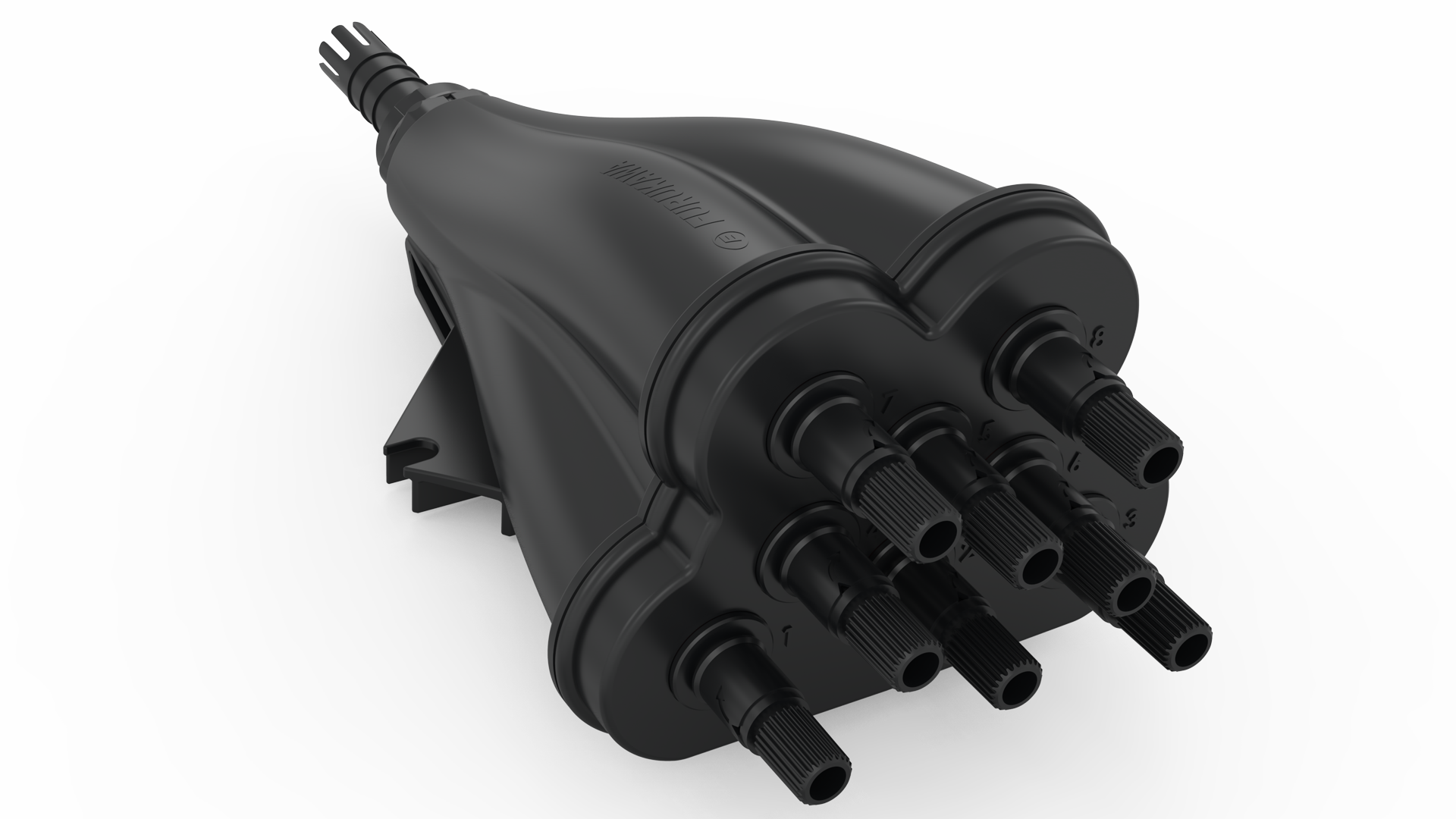
Below is an image of two different HUBs. See what they look like physically.
The importance of understanding all of this
Understanding the equipment, their profiles, and where they fit is very important when documenting your network in OZmap because, if you configure the materials used in your physical network before starting the project markings, the documentation process becomes much easier.
It will also make more sense how things are connected.
To get a better understanding, check out our article on Project settings and how each element fits within OZmap.